How to Track PDF Files
Know exactly who opens your documents, when, and how often. Track PDF views with real-time analytics — no reader software needed.
8 min read March 23, 2026 Analytics
Know exactly who opens your documents, when, and how often. Track PDF views with real-time analytics — no reader software needed.
8 min read March 23, 2026 Analytics
Sending a PDF into the void and hoping someone reads it is a thing of the past. Whether you're sharing a sales proposal, distributing training materials, or sending a confidential report, knowing who opened your PDF and when is critical for making informed follow-up decisions. This guide covers everything you need to know about PDF tracking — from the technology behind it to step-by-step instructions for setting up your own tracked PDF links.
How It Works
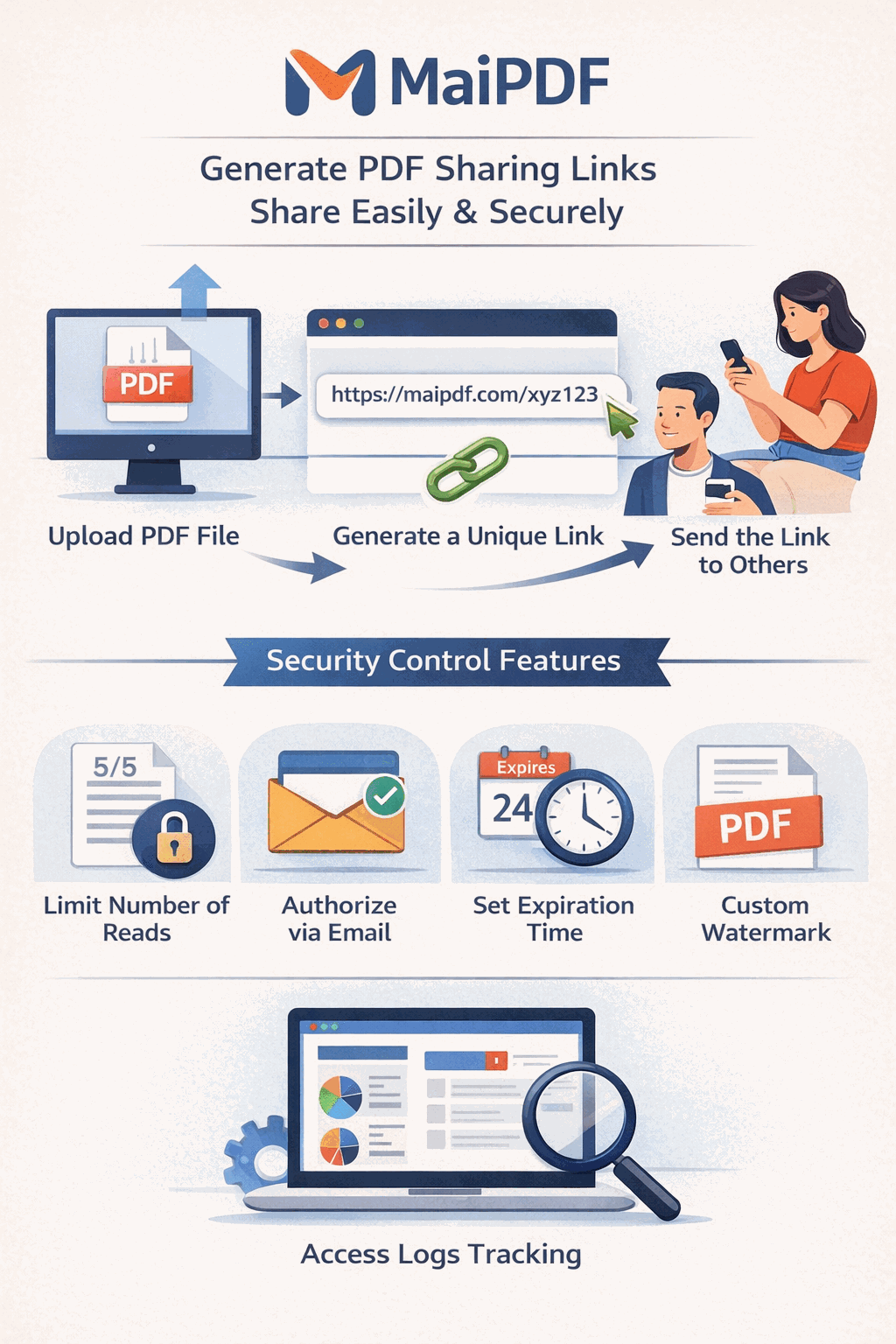
Go to MaiPDF and upload your document. No account is required for basic tracking.

Configure view limits, expiration, and Telegram alerts. Then share the link via email, chat, or social media.

View real-time analytics: who opened your document, when, how many times, and from which device.

Key Features
See exactly how many times your PDF has been opened. Monitor engagement and measure reach in real time.
Learn more →Know exactly when your document was first viewed and most recently accessed. Time your follow-ups perfectly.
Learn more →See what device and browser the viewer used, plus approximate location data for each view event.
Learn more →Get instant Telegram notifications the moment someone opens your tracked PDF link. Never miss a view.
Learn more →Review a complete log of every view event with timestamps, IP addresses, and device fingerprints.
Learn more →Require email verification before viewing. Know exactly who opened your document — by verified email address.
Learn more →Access Records
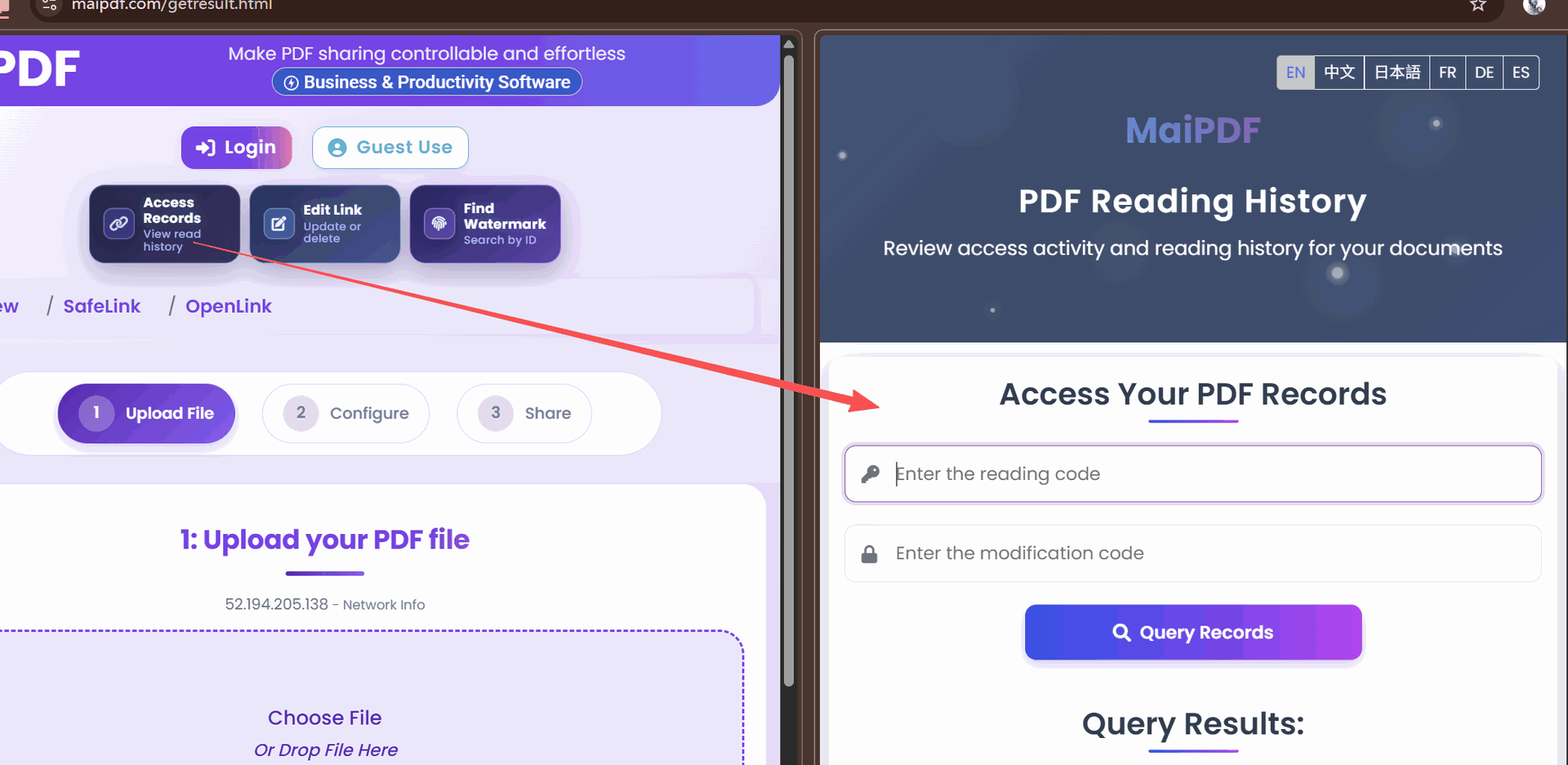
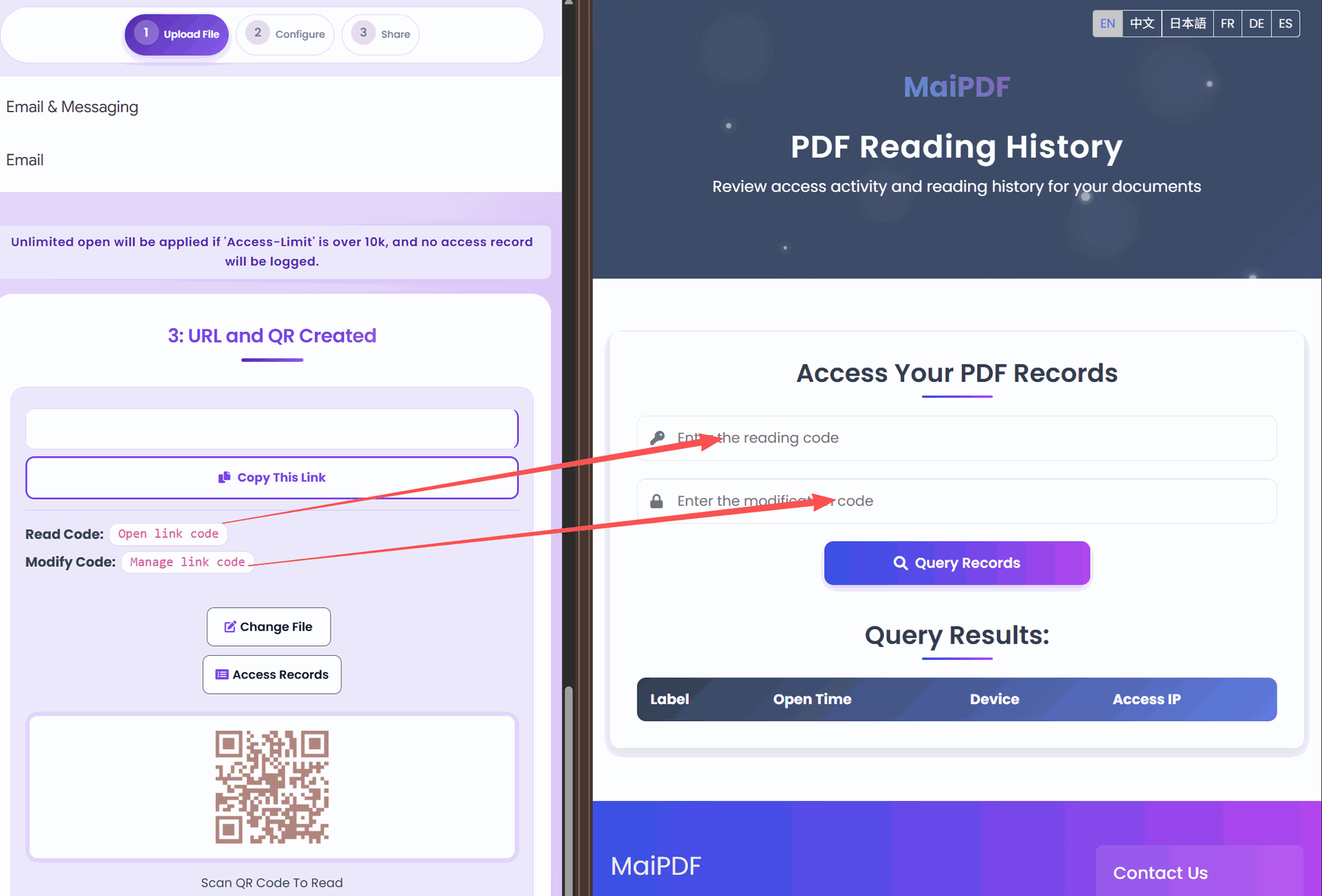
Navigate to your access records dashboard to see a complete timeline of every view event. Each record includes the timestamp, device info, location, and remaining view count.
Comparison
FAQ
Related Articles
Everything you need to know about uploading, securing, and distributing PDFs via links.
Protect sensitive documents with view limits, watermarks, and email verification.
Update shared PDFs while keeping the same URL. Old link stays, new content appears.
Stop unauthorized document sharing with view limits, watermarks, and email verification.
Upload a PDF, get a tracked link, and see who opens your documents — all for free, no sign-up required.
Practical guide
Use open records to decide when a proposal is actually being reviewed instead of guessing from email replies.
Check whether required documents were opened and whether reminders should be sent to people who have not read them.
For sensitive files, combine analytics with App DRM so a .maipdf document can be monitored and controlled more tightly than a public PDF link.
Updated MaiPDF protection path
SendPDFOnline pages now describe MaiPDF as a two-level product family: Online Cloud Sharing creates quick browser links and QR codes, while the MaiPDF App creates protected .maipdf packages for sensitive PDFs that need App DRM controls.
Upload a PDF, share a browser link or QR code, and keep read code / modify code management.
Package the PDF in the MaiPDF App with local encryption, license rules, expiry, open limits, and revoke control.
Use protected viewer, device binding, screenshot-aware controls, watermark trace, and license management where supported.
No web page can fully stop screenshots. MaiPDF App DRM is positioned as the stronger path: reduce casual copying, bind access to identity/devices, revoke licenses, and trace leaks with visible watermark information.