Client Feedback Management
Track how clients interact with your documents. See who opened your PDF, when, how many times, and from which device — then follow up at the right moment.
7 min read March 23, 2026 Analytics
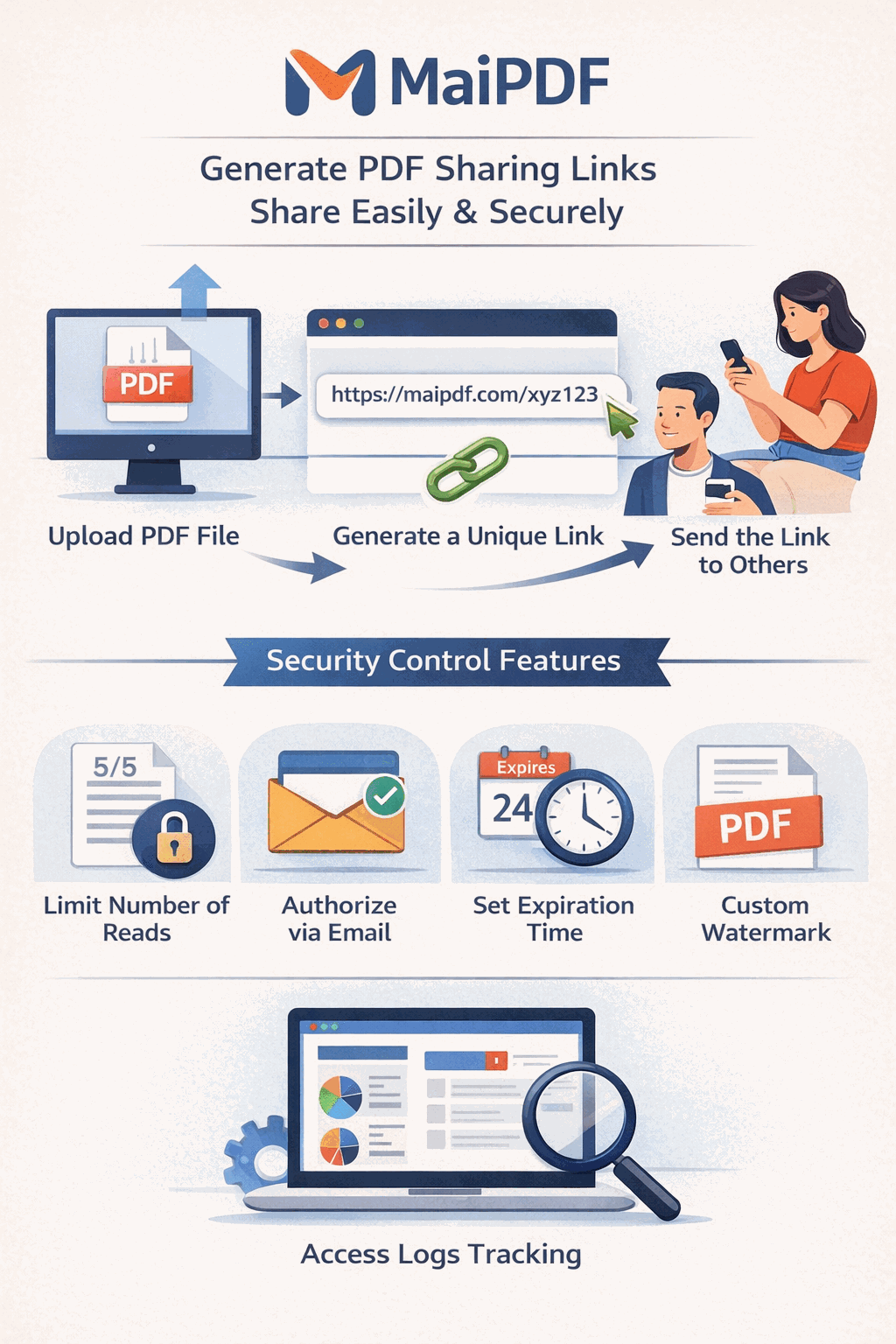
Track how clients interact with your documents. See who opened your PDF, when, how many times, and from which device — then follow up at the right moment.
7 min read March 23, 2026 Analytics
How It Works
Open MaiPDF and upload your document (up to 100 MB) from the header, or log in to manage existing files.

Turn on view tracking, set email verification gate, add expiration dates, and connect Telegram for real-time notifications.

Send your secure link or QR code to clients. Access records appear instantly in your dashboard with full viewer details.

Capabilities
See every open in one place — who viewed, when, and how many times — all from a central dashboard.
Get instant push notifications on Telegram the moment a client opens your shared document link.
Require viewers to enter their email before accessing the PDF, so you know exactly who is reading.
Every visit is recorded with precise timestamps, giving you a complete audit trail for compliance.
Identify the device type, operating system, and browser your clients used to open your document.
Track total opens and repeat views per recipient to gauge interest and engagement levels.
Know the best moment to reach out — see when clients last viewed and how frequently they return.
Download your access records for reporting, CRM integration, or internal review at any time.
Access Records
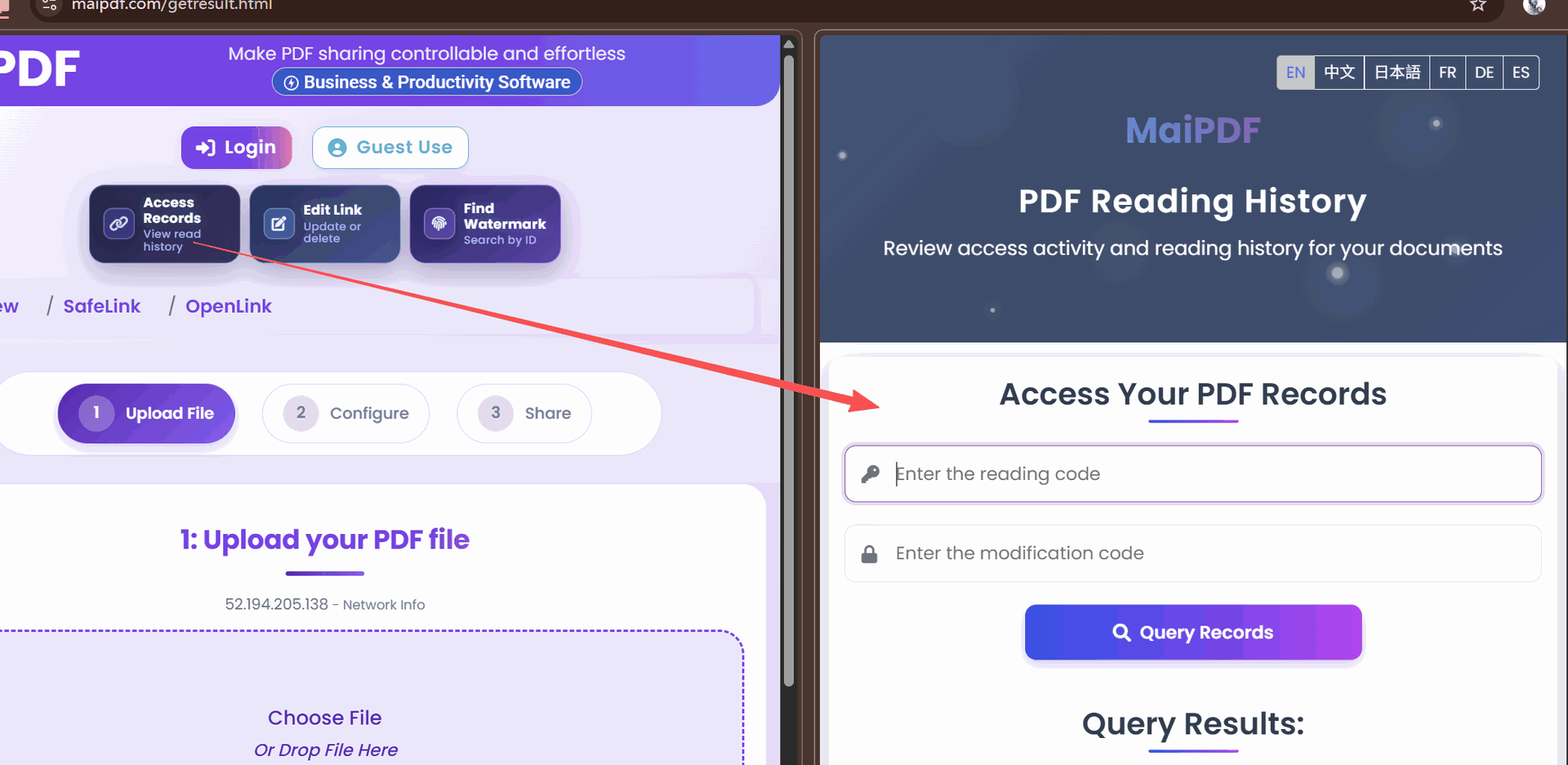
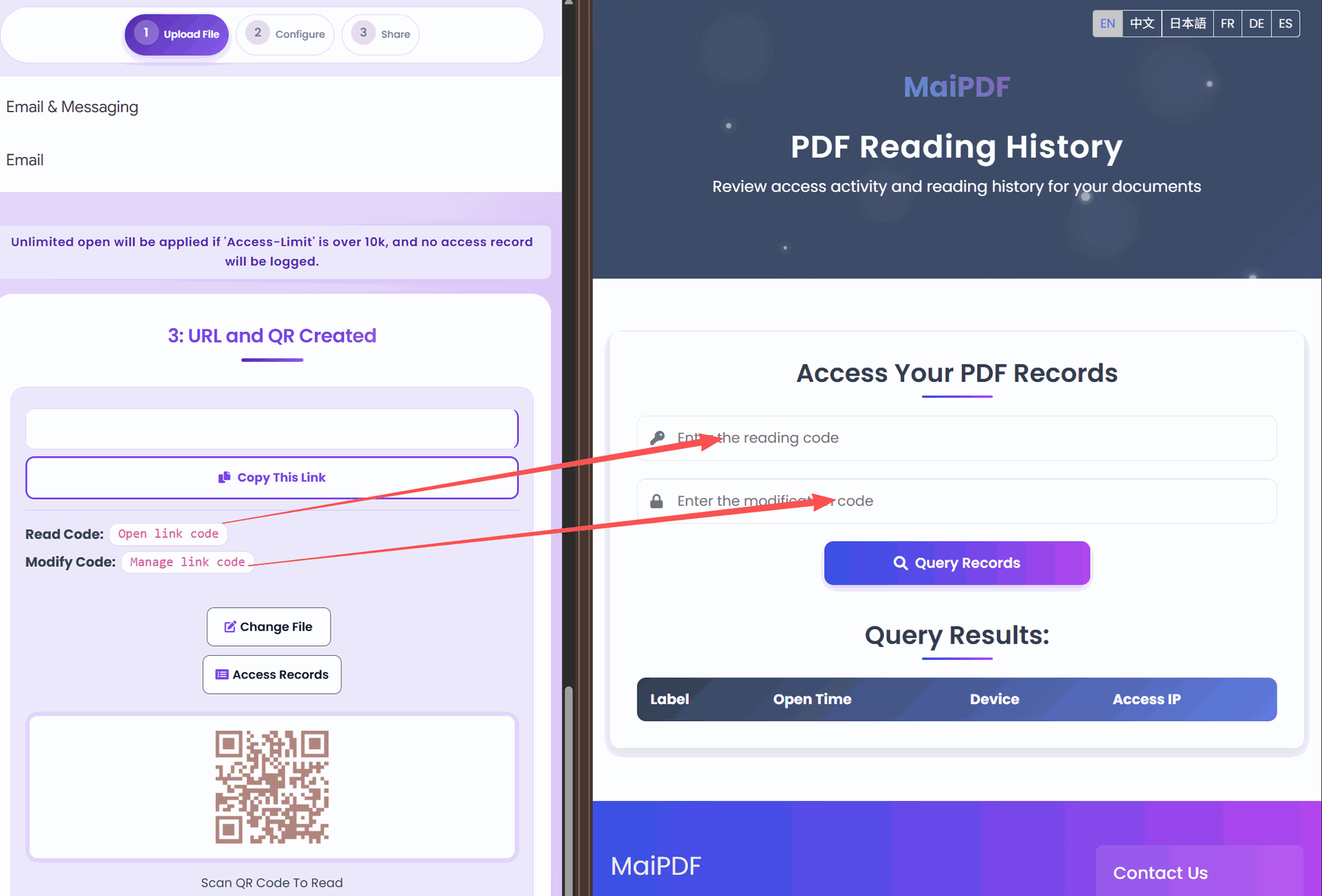
When a client opens your shared PDF, MaiPDF captures a detailed access record automatically. Navigate to your control panel and click on the document to view the full log of visits.
Each record shows the viewer's email (if verification is enabled), the exact date and time, IP address, browser, and operating system. Use these insights to identify engaged prospects, confirm delivery, and time your follow-up perfectly.
Comparison
| Capability | Without Tracking | With MaiPDF Tracking |
|---|---|---|
| Know who opened | No | Email + IP logged |
| Know when | No | Exact timestamp |
| Know how many times | No | Total & per-viewer count |
| Know device | No | Browser, OS, device type |
| Follow-up timing | Guesswork | Data-driven |
| Proof of delivery | None | Full audit trail |
FAQ
Related Reading
Analytics
Learn how to track views, downloads, and engagement on every PDF you share.
Security
Restrict who can view your documents with passwords, email gates, and expiration dates.
Sharing
Share PDFs instantly via link or QR code with no account required for recipients.
Watermark
Add smart watermarks that display viewer identity and access details on every page.
Upload your PDF to MaiPDF and start receiving real-time analytics on every view — free to get started.
Try MaiPDF FreeUpdated MaiPDF protection path
SendPDFOnline pages now describe MaiPDF as a two-level product family: Online Cloud Sharing creates quick browser links and QR codes, while the MaiPDF App creates protected .maipdf packages for sensitive PDFs that need App DRM controls.
Upload a PDF, share a browser link or QR code, and keep read code / modify code management.
Package the PDF in the MaiPDF App with local encryption, license rules, expiry, open limits, and revoke control.
Use protected viewer, device binding, screenshot-aware controls, watermark trace, and license management where supported.
No web page can fully stop screenshots. MaiPDF App DRM is positioned as the stronger path: reduce casual copying, bind access to identity/devices, revoke licenses, and trace leaks with visible watermark information.