Why MaiImg for image sharing
I've been using MaiImg for design mockups, event photos, and marketing assets. Here's why it beats email attachments and generic cloud folders:
No tiny attachment caps
Email caps at ~25MB. MaiImg gives you a single link for a whole batch — fewer threads, fewer “file too large” errors.
Up to 25 images per batch
Portfolios, galleries, catalogs: one link instead of ten separate sends.
QR for offline touchpoints
Cards, posters, booths — scan and view without typing a long URL.
View tracking
Know when the link was opened — useful for follow-ups and proof of reach.
View limits
Cap opens for exclusive drops or time-sensitive material.
Fast CDN
Cloudflare-backed delivery keeps loads snappy globally.
Features that matter
Batch upload
Up to 25 images, drag-and-drop, desktop or mobile.
QR codes
Auto-generated for print and screens.
Shareable links
Copy into email, chat, or social posts.
View tracking
Monitor engagement from your dashboard.
One-click revoke
Invalidate a link when you need to swap assets.
No registration
Start uploading immediately.
View limits
Control how many times a link can open.
Cloudflare CDN
Low latency loads from many regions.
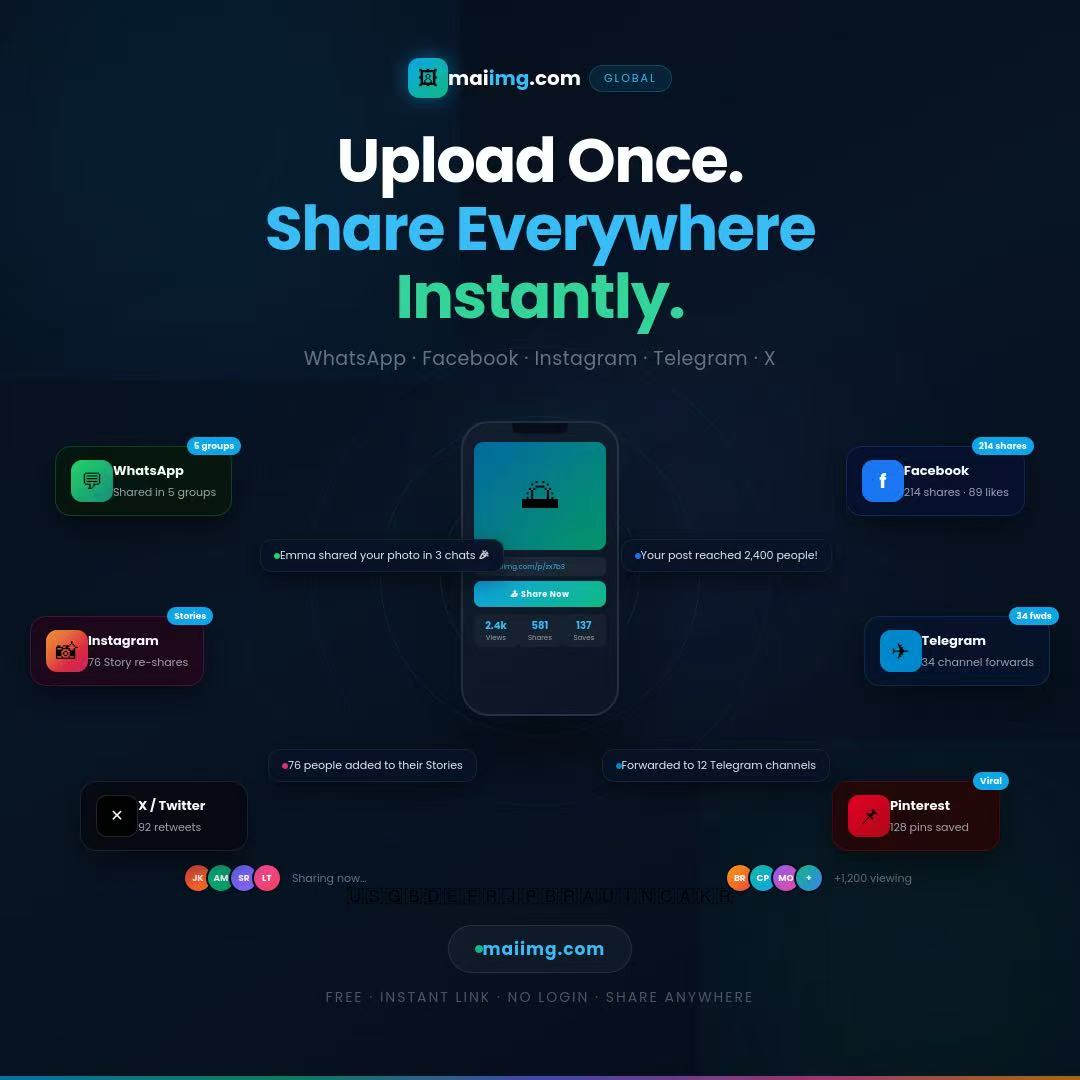
Share on social
Paste your MaiImg link into posts; previews pull from your gallery. CDN-backed delivery helps with fast loads.
Twitter & Facebook
Links often get better reach than bulky attachments.
Great for portfolios, case studies, and company updates.
Email without attachments
Send a link instead of files: fewer size limits, fewer spam-folder trips, faster inbox delivery for the message itself.
Skip attachment limits
One link can carry a whole batch of high-res shots.
Cleaner deliverability
Links typically trigger fewer attachment-related filters than huge files.
Fast for recipients
They fetch images from the edge instead of downloading a giant MIME blob first.
Know when they looked
Use view data to decide when to nudge or send the next version.
How it works (3 steps)
Upload images
Visit maiimg.com and add up to 25 files per batch.
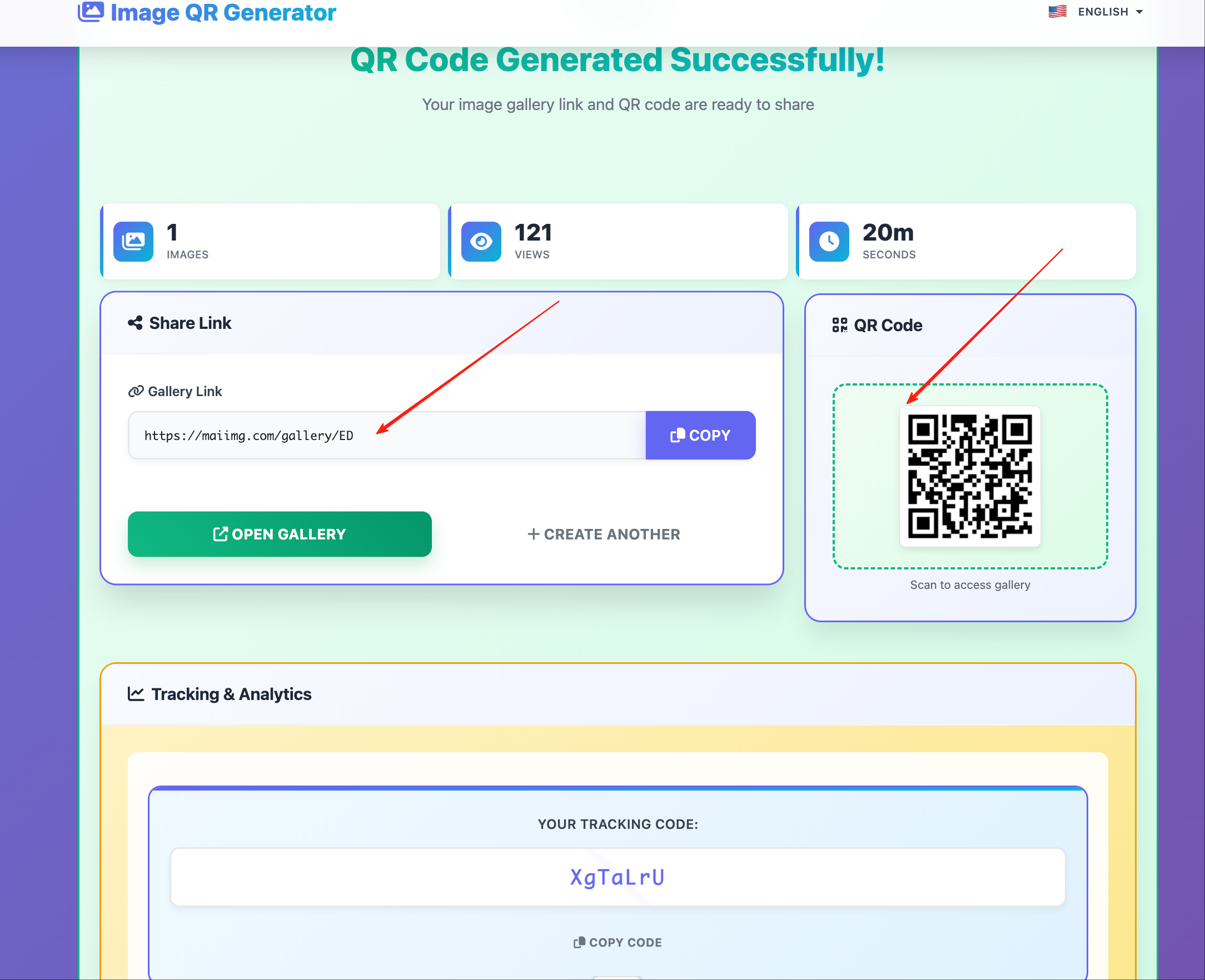
Get link & QR
Copy the URL or save the QR for offline use.
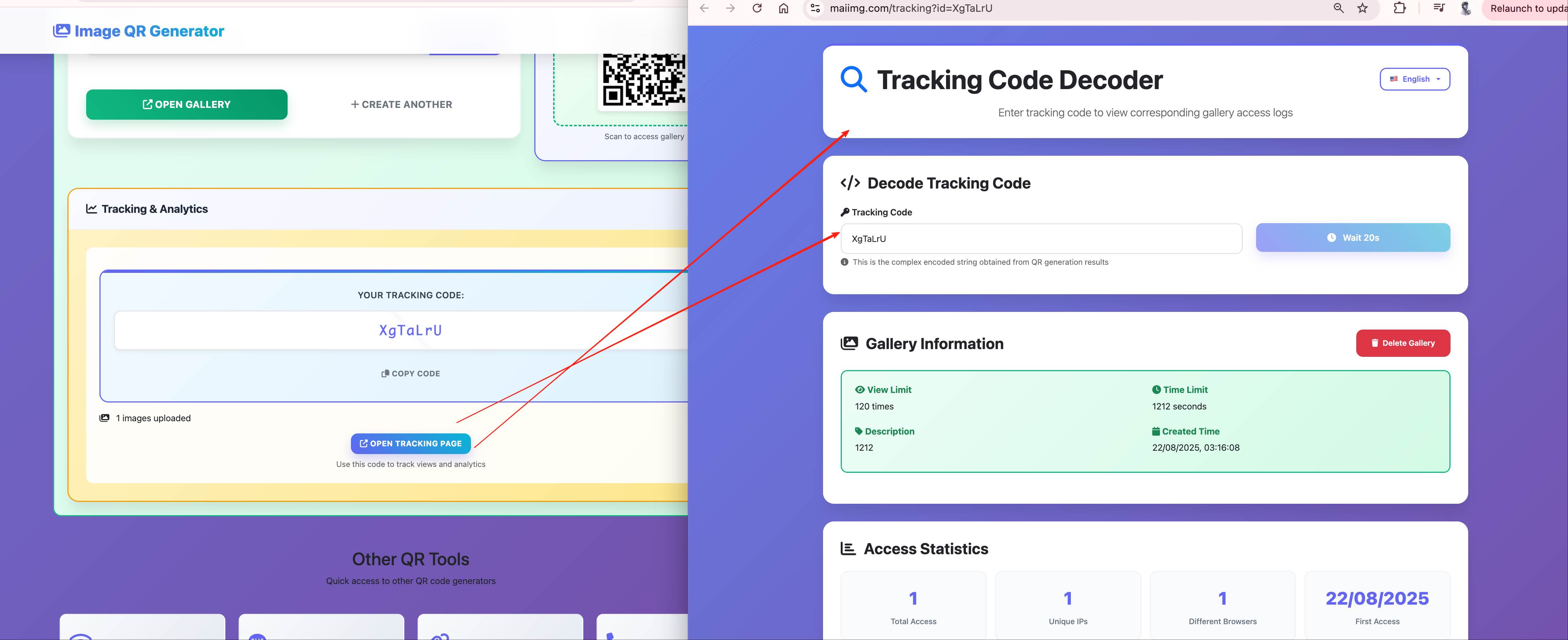
Share & track
Distribute the link and monitor opens from the dashboard.
Workflow overview
How hosting, sharing, and controls fit together on MaiImg. Diagram is in English for global readers.
Real use cases
Designers
Mockups, mood boards, and client rounds in one link.
- Portfolio drops
- Iteration sets
- Presentation stills
Marketing & events
Photo sets, booth QR codes, and campaign assets.
- Event galleries
- Press kits
- Product shots
E-commerce
Lookbooks and vendor packs without messy zip chains.
- SKU imagery
- Wholesale linesheets
- Seasonal catalogs
Teams
Internal references and handoffs without permission maze.
- Team photos
- Specs & screenshots
- Onboarding packs
MaiImg vs alternatives
| Feature | MaiImg | Cloud storage | WeTransfer | |
|---|---|---|---|---|
| Batch upload | Up to 25 images | Limited | Yes | Yes |
| QR code | Automatic | No | No | No |
| View tracking | Yes | No | No | No |
| Revoke access | Instant | No | Yes | No |
| Registration | Not required | Not required | Often required | Not required |
Pro tips
Optimize before upload
JPEG ~80% for photos; PNG for UI shots — smaller files load faster.
QR size
Print at least ~2cm square; test with a few phones before a big print run.
Watch the dashboard
Spikes in opens are a natural time to follow up.
Retire old links
Revoke campaigns you don't want in the wild anymore.
FAQ
Related on MaiImg
More guides in the same family: