Hosting · 5 min read

Free PDF Hosting

Upload a PDF, get a permanent link and QR code instantly. Free hosting with security controls, analytics, and the ability to update content without changing the URL.

Free to use   No sign-up required   Works on any device
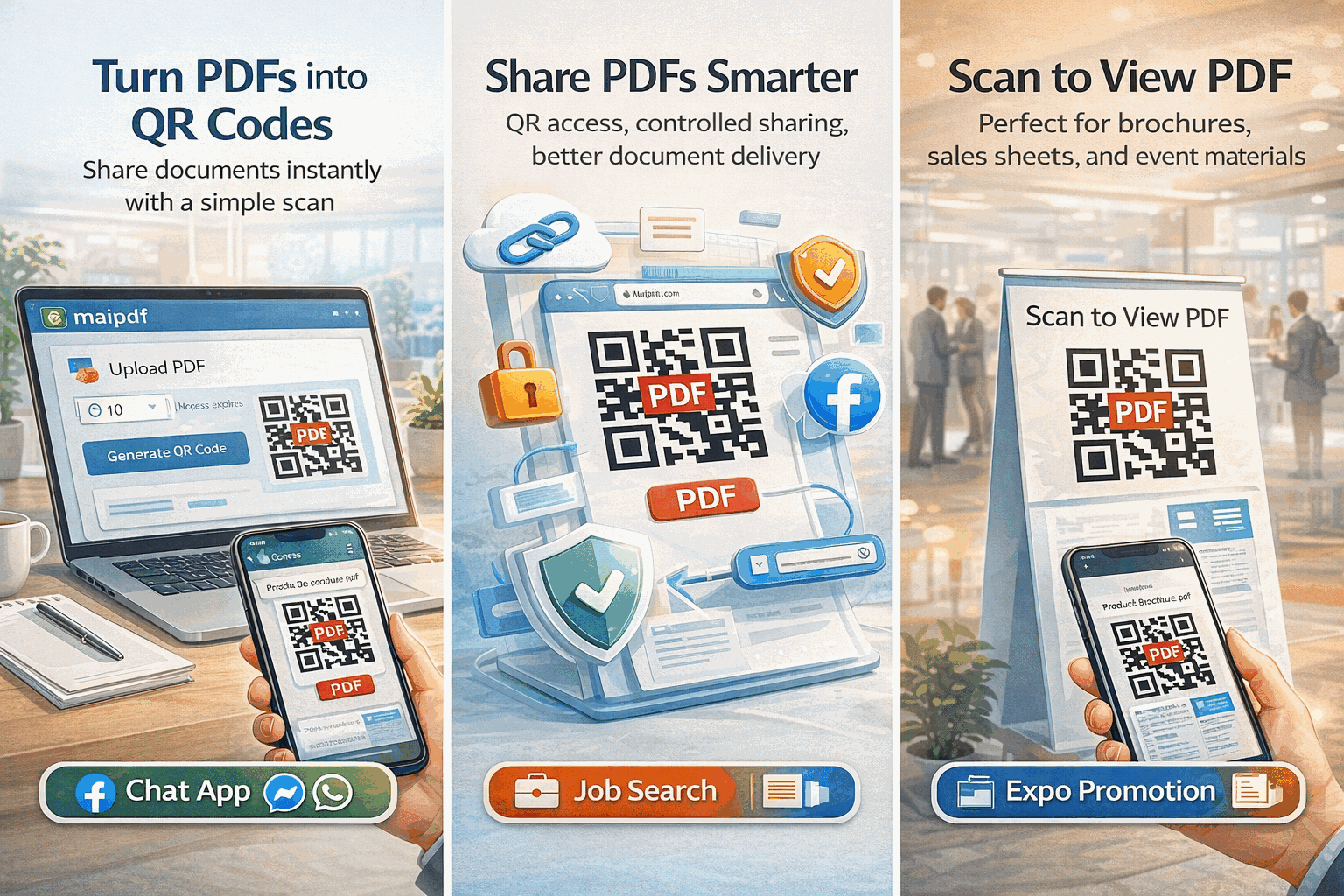
MaiPDF free PDF hosting — upload, share, and track

Host a PDF in 3 Steps

1

Upload Your PDF

Drag and drop or click to upload. Your file is stored on a global CDN for fast delivery worldwide.

Upload a PDF to MaiPDF for free hosting
2

Set Preferences

Optionally add security controls — watermarks, view limits, download restrictions, or email verification.

Configure hosting preferences and security
3

Get Link & QR Code

Instantly receive a permanent shareable link and QR code. Send via email, chat, or embed on your website.

Permanent PDF link and QR code generated

More Than Just File Hosting

Free Permanent Hosting

Your PDF stays online indefinitely at no cost. No storage limits, no trial periods, no hidden fees.

Instant Link + QR

Get a shareable URL and scannable QR code the moment your upload completes. Share anywhere immediately.

Replace File, Same Link

Update the PDF behind your link without changing the URL. Recipients always see the latest version.

Security Controls

Disable download and print, add watermarks, set view limits, require email verification, or enable FenceView.

Built-In Analytics

Track opens, view counts, timestamps, and device info for every hosted PDF from your dashboard.

Mobile Viewer

A responsive, fast-loading viewer that works perfectly on phones, tablets, and desktops — no app needed.

Global CDN

Files are delivered from edge servers worldwide for fast load times, no matter where your recipients are.

No Registration

Upload and share without creating an account. Optionally log in to manage files and access analytics.

Choose How to Share

MaiPDF gives you multiple ways to distribute your hosted PDF. Share online via a direct link, embed a QR code in print materials, or use the built-in viewer for presentations.

  • Direct URL for email and chat
  • QR code for print and events
  • Embeddable viewer for websites
  • Social media preview cards
MaiPDF sharing options — link, QR, embed

PDF Hosting Platforms Compared

Feature MaiPDF Google Drive Dropbox Self-Hosted
Cost Free Free (15 GB) Free (2 GB) $5–50/mo
Instant link + QR Link only Link only Manual
Prevent download
View tracking Detailed DIY
Watermarks Dynamic
Replace file, same link
Anti-screenshot FenceView
No registration

Frequently Asked Questions

Yes. You can upload PDFs and generate shareable links and QR codes at no cost. No credit card or account registration is required.

Links are permanent by default. You can optionally set an expiration date or view limit if you want the link to auto-expire.

Yes. MaiPDF lets you replace the file behind a shared link. The URL and QR code stay the same, but recipients see the new version instantly.

You can disable downloading and printing, add watermarks, set view limits, require email verification, enable FenceView anti-screenshot protection, and set expiration dates.

Google Drive lets you share files but offers no view tracking, no watermarks, no FenceView, and no way to prevent downloading. MaiPDF is purpose-built for secure, trackable PDF sharing.

Explore More Use Cases

Security

PDF Encryption & DRM

Encrypt PDFs for view-only access with anti-screenshot protection and dynamic watermarks.

Analytics

PDF Analytics Dashboard

Track every PDF open in real time — who viewed, when, and from what device.

Sharing

Secure PDF Sharing

Share confidential documents with controlled access, view limits, and audit trails.

Branding

PDF Branding

Add your logo and brand colors to the PDF viewer for a professional sharing experience.

Ready to Host Your PDF?

Upload a PDF and get a permanent link in seconds — free, no sign-up, with full security controls.